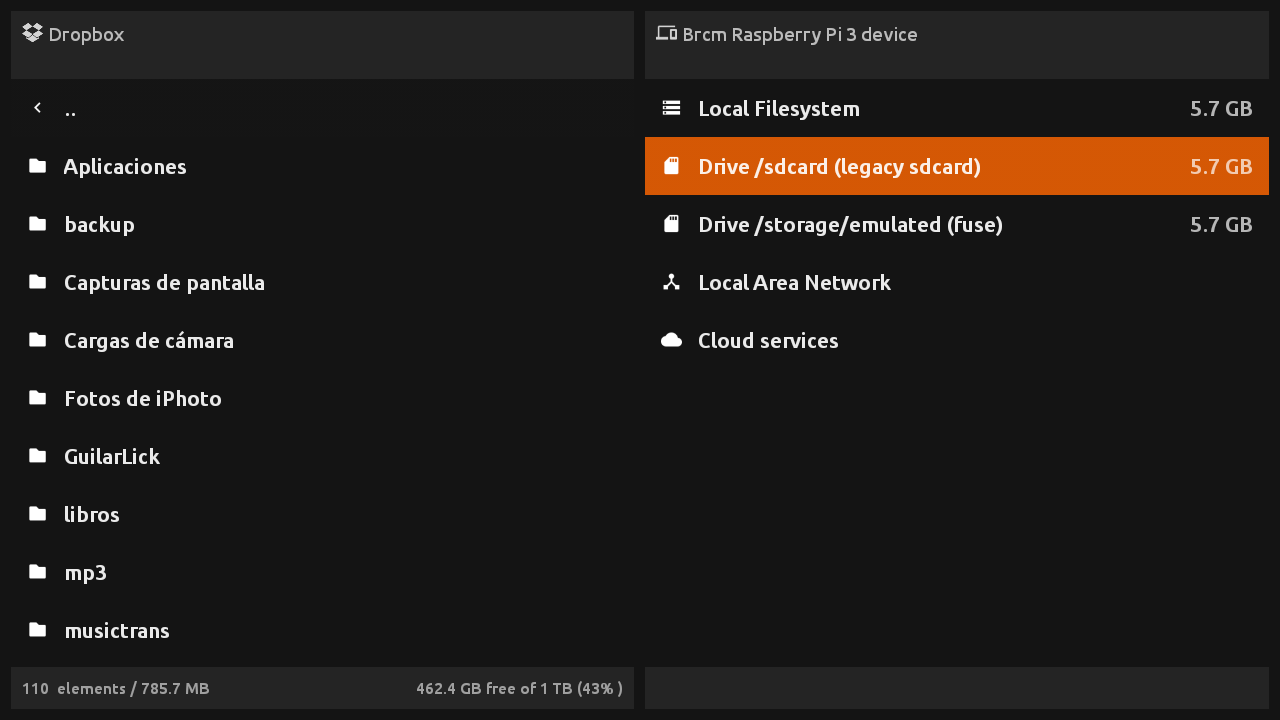
Since today a new application for Android TV devices has been released: FileX Manager. As the name suggest, this app will help you manage your files on Android TV devices like the NVIDIA Shield TV, Amazon Fire TV, Amazon FireStick, Xiaomi Mi Box and even generic chinese TV Boxes.
This app has been designed to work **without the need of a pointer **, you can perform all operations with the D-Pad in your remote.
Note that this is an early release, but why wait for the advanced features if you can start using it today. And YES, as you may be guessing, it has been put into Frambu 1.1, so you can copy or sideload anything to your Raspberry Pi based RetroX setup from now on.
The current version is FREE for all the RetroX users. No trial, no ads, just you and your files.
This is a standalone application with more advanced features than the same file browser that you find embedded in RetroX, that’s not a surprise because both use the same codebase.
With FileX you can:
Manage your local files
Manage your files stored in Google Drive, DropBox, One Drive and Box cloud services
Manage your files stored in your NAS or shared in a Windows Network (SMB/CIFS)
Open compressed files as if they were simple folders (zip, 7z and rar files are supported)
Many users – including me – suffered when trying to play MAME or FBA games without using a full ROM set. This was because these games can be splitted into several files: One main .zip file plus several small files containing just the differences for region specific versions, bootlegs, etc. Without the info at hand, it’s very easy to miss some files and in that case the emulator just crashed.
Until now.
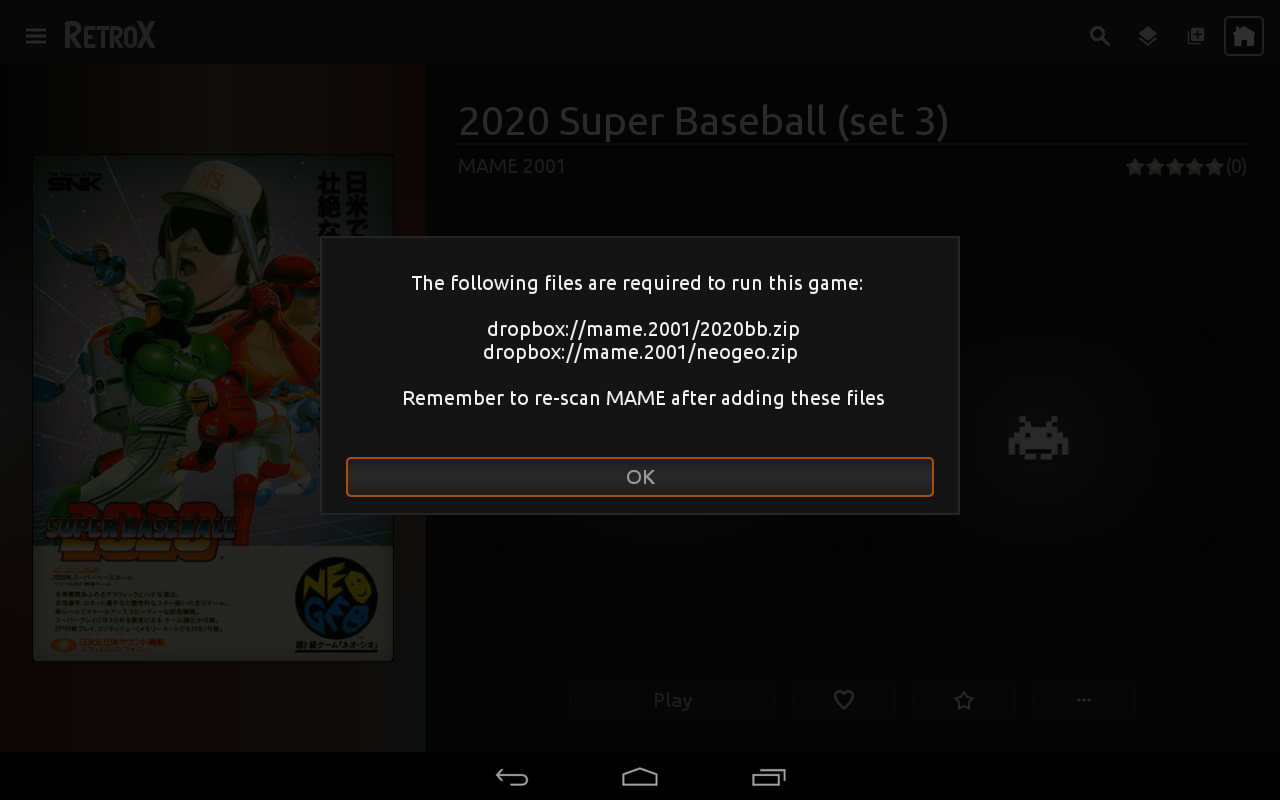
With this release the user will be able to know which files are missing and where they should be made available.
This feature was NOT planned, I was fixing a different problem and that required this kind of knowledge to be integrated in the app. If the ROM file was stored in a NAS or cloud, only that file was retrieved and not all the needed ones, so many many games just crashed. If you had MAME/FBA games in a network storage and the emulator crashed, this was the reason.
And… that fix wasn’t planned as well! I was fixing a bug that may have been crashing some emulators: If a large file download or transfer failed or was cancelled by the user, the file was kept and RX would never try to download it again, crashing the emulator when used.
And… that fix was because I wanted fix the problem that not all network operations were showing the progress info, neither can be cancelled…
RetroBoxTV “God save the states” release is finally out!
This is the first update that brings some features ONLY for Activated Accounts (AA). This is because the new features will increase the load in our servers, and some features don’t make sense to free users anyway because they see only a few games.
The main feature (AA only) is of course, cloud based save states and memory cards. This basically means that you can play a game in one device and continue playing in another device. The save states and memory cards are now tied to your user account, it doesn’t matter what device you are using.
At the beginning, if you already have more than one device, the first one will upload all its save states and memory cards, the following devices will only upload the files that are not in the cloud to prevent overwriting, and it will only download the files that are not in the current device, again to prevent overwriting. Once you get all your devices running, the new saves will turn into the official ones for your account.
New Save States user interface
With this new feature, the current user interface for save/load states and slot selection was not cutting it. There was no way to distinguish between current and previous save states so I made a complete change on how the emulators handle that part. As you can see in the screenshots attached, now all save states are shown with a screenshot of the moment they were created, that will help you to recognize easily what slot has what state. The only emulator where I couldn’t get screenshots was the N64 emulator, for now it will only show the N64 logo, but I hope to revisit that code in the future.
The cloud based save states will be free to all AA for now, but if this feature turns to be an storage issue in the future, we may have to bring a way to fund it, but don’t worry, we thought that the worst case would be a small yearly subscription fee.
Another new feature is the Playstation multidisc support. Just put all the files in one folder and RetroBoxTV will offer a “change disk” option.
The “last played” game list was stored in the device, now it has been moved to the user account. That will help multi-device users find their latest played games anywhere.
For AA accounts using TV devices I added some new lists to the front page, this lists will help you find games that other people consider that are worth playing. The new lists are: Trending this week, Most popular and Most favorited. We show each game in one list only, so you will get up to 75 recomemndations from those lists.
And the last one. To stop ES Explorer causing issues with RetroBoxTV, there will be a warning message if RetroBoxTV detects that you left ES Explorer running.