Automapped controllers and touchscreen overlays

From 2.9.0 you can just grab any controller and start playing. Another player is joining? Just grab another controller, press a button and start playing. ONLY if your gamepad has a weird configuration you may need to teach RetroX how your button works (map the buttons). The good thing is that you only need to do it once, and RetroX will pick that config up any time you use that kind of controller.

When RetroX started in 2012 there was no standard for controller buttons on Android, in fact, there was no controllers for Android, you had to use a PC gamepad connected via USB to your TV Box. In my case I used a PS2 to USB adapter to connect a wired PS2 gamepad to my TV Box. As buttons weren’t standard, all controllers sent different events when you pressed a button, and they also had different layout for A/B/X/Y… if they had something like that (PS2 don’t). Some PC controllers had an “A” button and sent a BUTTON_A event when pressed, but others sent a BUTTON_B even when pressing the button in that same location, this was because some controllers followed the SNES convention of ABXY while others followed the Xbox convention for those button, which is inverted (BAYX)!  Other controllers like the PS2 one sent events like BUTTON_3 or even BUTTON_9 if you pressed the SELECT button. On that reality you had to map the buttons and that’s why I added the Gamepad button mapping screen in the first place.

To make things worse, there was no reliable way to pass that info to the emulators so I finally had to assign each gamepad to each player for it to work. The bad thing was that if you assigned a controller to player 1 and picked another controller, you had to switch it in RetroX to use it as player 1. Not a good thing.

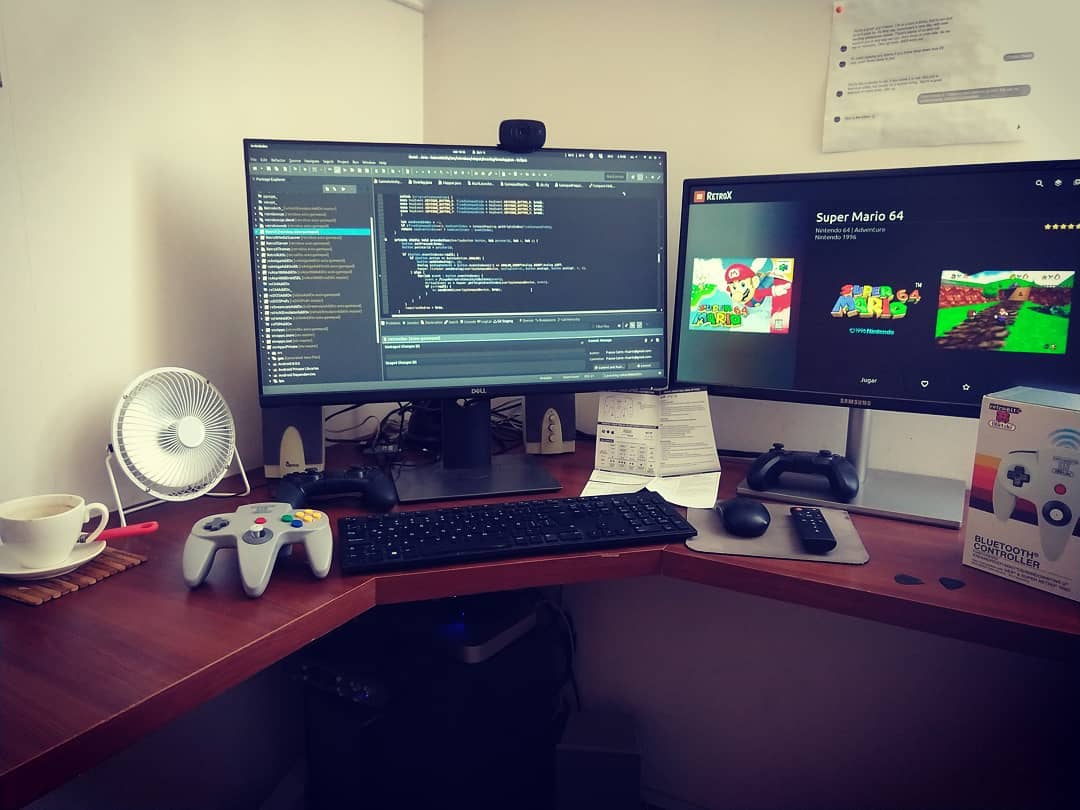
Fortunately as time passed Android defined an Xbox type of layout for their controllers and events like BUTTON_A, BUTTON_SELECT , BUTTON_START and others became standard. Most controllers use that standard today and RetroX assumes that’s your configuration. There are still some exceptions like the Ouya and Nvidia controllers where there is no SELECT button, but RetroX automap those controllers assuming that the Back button is the SELECT button. Also if you have an 8bitdo N64 controller and you use it with the N64 emulator, all buttons are automapped.

Touchscreen overlay

I also changed how touchscreen overlay works. Now there are three modes: Auto, On and Off. The Auto mode disables the touchscreen overlay only if you start a game using a controller. On and Off are self explanatory.

All devices use the touchscreen Auto mode except for well known TV devices like the Nvidia Shield and Amazon Fire devices where the default is set to Off.
Release 2.6.5 – Golden Eye – Better controls for N64

One of our targets has been make things as simple as possible, this included making the gamepad configurations less painful providing a centralized mechanism: Set up your controller once and for all. But sometimes underlying details makes it hard to apply one rule for all, and that’s the case of the N64 controller (read The law of leaky abstractions for background theory).

The RetroX fronted as well as emulators like RetroArch uses the SNES style controller as a basis for all systems, and a special derivate which is the PlayStation one, which simply add more buttons.  Most systems have just subsets of these two controllers, except for N64 where the controller is a completely different beast, a curious design to say the least.

To play N64 without issues you need an N64 controller, everything else will be a hit and miss.  Most emulators will request the users to map each button of their controllers but we wanted to stay away from that providing a standard configuration for SNES style controllers. As me (the developer) had almost zero experience with N64 beyond the intro of Super Mario 64, this simplification failed with other games, being Golden Eye 007 the icon if this problem.

Until now.

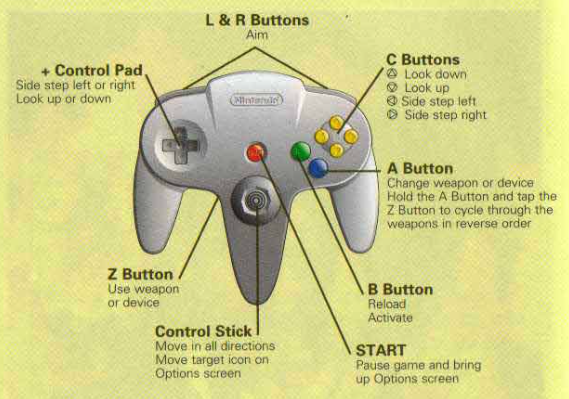
I changed the way that SNES style controllers are mapped adding the use of the right analog stick as “C dpad” buttons – the yellow ones in the N64 controller. Using this configuration, the directional nature of the C buttons is kept and they remain as natural as possible for the intentions of the game designer.

Given that the signals that right analog controls emit are not standard among all controllers, I added two new configuration points for the right analog control, just select them and follow the instructions so RetroX can learn about the codes used with your gamepad. You will see those new points in blue.

New analog right setup

But this was not enough.

Testing Golden Eye and having some experience with modern day first person shooters, it felt more natural to invert the analog controllers, so you can strafe with the left analog and move with the right analog. Now there is a new option to invert the analog controllers from the in-game options, or make it the default for your game in the game details screen -> “configure this game” option.

GoldenEye original controls

And this was not enough again.

The controls still seemed awkward by design, because the strafe left/right is combined with the look up / down while modern FPS games combine strafe with move forward / backwards.  So finally I added a new option called “Optimized for Golden Eye” where not only the analog controllers work as intended, but also the trigger to shut the guns has been switched to the right (R2) and the aim is at the left (L2).

I played Golden Eye some minutes with this new configuration and it is a world of difference.

These new settings made the old Digital / Analog modes on N64 become obsolete, so now with the SELECT button you can easily switch between Original, Inverted and Golden Eye modes.

Users of 8bitdo N64 controllers

I also added an experimental setting for users of the 8bitdo N64 controllers. As they are physically N64 controllers, I added an option to automatically map that controller when used in N64 games. As I don’t have that controller (yet), this setting is disabled by default and users must enable it in the Gamepad Options.

I expect to receive good or bad feedback about this, considering it that it was done in the blind!

Also I would like to give big thanks to the members of the RetroManiaUK Facebook group for giving me these ideas to improve the way RetroX works with N64 controllers.

Also in this release…

There are also some fixes included in this release:

  • Not available games now are removed / cleaned as expected
  • Games based on CUE files now are downloaded correctly from networked storages (NAS / Cloud). These are used by CD based systems like Playstation, PC Engine CD and Sega CD.
  • Final Burn Alpha addon now is compatible with games requiring samples.  (Provided samples may be not right with some games as I found with Donkey Kong, so if you have a games with samples but no sound please send me a message)
  • Save states related options have been removed from MAME 2001, 2010 and 2014. Only 2003 supports saving states
  • Size measure of installed games coming from compressed files has been fixed.

That’s all for now and and always, just enjoy!