Release 2.6.6 – Sega Dreamcast

Finally Sega Dreamcast has arrived to RetroX!! This is one of the most requested system and we put it at the top of the list in our 2017 roadmap, so a lot of people were waiting for it.

I will divide this post on two aspects of this release: Users and Developers.

Users

Consider this an initial release. I left some parts to later updates because they required more days and I prefer to release as soon as I can.

The following will be added in future releases:

  • Multidisc support
  • VMU swap support
  • Settings – Full screen support
  • Settings – Region support (US, Japan, etc)
  • Settings – Performance options (frame skipping, specific fixes/optimizations)
  • BIOS boot
  • Get rid of the required clock set up

Most of these are options available in the original emulator, but not exposed in this port.

Note that this emulator doesn’t support save states, only saving progress through the original Dreamcast VMU “memory cards”. As you may expect, those saves are stored with your RetroX account in our cloud.

For developers

Honestly I was a bit reluctant to work on this system, because it is always a challenge to port a complete new emulator to RetroX. There is always a little detail that require several iterations and testing, all emulator are written different! Although this was not the exception, I didn’t think it would take the few time that it took to make the port (scattered hours among three days). Sometimes this kind of work can take at least one week.

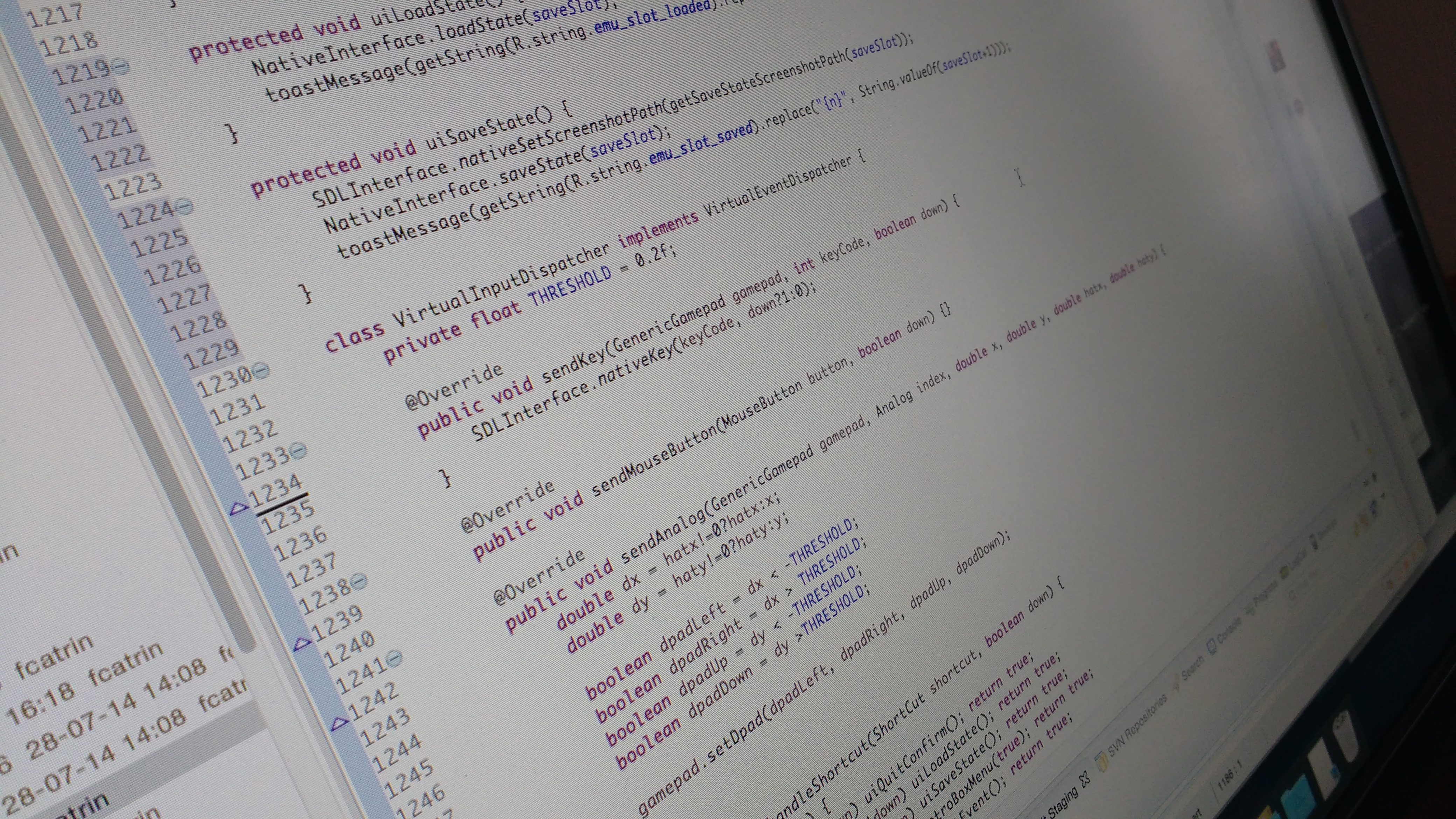
The code base which is the Reicast emulator is very clean and fortunately most changes could be done only in the Java part. Also, the fact that this emulator doesn’t support saving states reduced the complexity of the port a lot.

This port was made in this new era of RetroX where the code is committed in public, so anyone interested can follow the track of how the changes were made. If anybody is interested in porting a new emulator, this will be an excellent example case.

The problem that took most of the time was something that didn’t happen before.  Once the options menu was displayed, the GL surface went blank.  I had to do several tests to know exactly what was the problem, and my conclusion is that for some reason, part of the GL surface was altered in a way that it was not visible anymore. Finally I came to a workaround, which is to add the view and remove it after use (not hide/gone it), this forced to GL surface to reset completely.  The code ended to be more dirty but it worked.

In comparison, the Mupen64 emulator also used a GL surface but it doesn’t have this problem. Looking at the root cause would require a lot of iterations, so I just went with the workaround.

Finally, here is the video I recorded the day before the release. Some people have asked me about the music that I was listening to – which is awesome – it is the backing track of the song Impossible Things by Nick Johnston. This guy is an incredible musician and guitar player, I totally recommend you to check his work, he have published his albums in YouTube and you can support him by buying the physical media, his transcriptions and backing tracks, which I happily did of course!
RetroX open source emulators and libs now on github

RetroX is not an emulator in itself, but a front end for existing emulators.  There are many front ends for emulators but what makes RetroX different is that the emulators have been modified to meet “the RetroX standard” like having support for custom controls, Android TV devices, RetroX save/load progress and more.

These modifications are possible because these emulators are released with open source compatible licenses, so they grant rights to modify the code and distribute the derivate products under certain conditions. One of these conditions is giving the source code back and we have been doing it since the commercial release en 2015.

But we could do it better.

Since today, the code will be available through their own repositories in github, and thanks to git subversion support the whole change history has been kept, so anyone interested will be able to see what changes we did to each emulator.

RetroX compatible emulator

We didn’t make this step before due to our lack of git abilities, but since I started to use git and github everyday the move just seemed natural.  Sure we would like to do more about it, like helping integrate some fixes to the upstream projects but, we are going step by step on this as the time allows.

For such a job to be possible we should have tracked the source code as clones of the original repositories from the beginning, but as we didn’t use git until now that track is lost… Unless someone gives advice about how to create that link.  At least, the work on new emulators will have this track.

RetroX libraries are now open source

As per license requirements, all the code that is linked to the emulators has been made open source as well. So we are proud to announce that the RetroX libraries that help make an emulator to be RetroX compliant now has been released as LGPL 2.1. on github.

Want to help?

Now that this code is shared with the proper tools, we see that new opportunities arise:

  • People will be able to add their favorite emulators to RetroX (more details below)
  • People requesting fixes to existing emulators will be able to take a look and give some help directly from the source code
  • Bugs or missing features on the upstream emulators now can be extracted from our changes, with a bit of effort but doable.

Adding new emulators

We encouraged ourselves to do this step also to give other people the possibility of adding emulators that we don’t have planned to add in the near term. Some time ago we published our roadmap for 2017 and we found that it was very limiting that some people have to wait until next year to see their emulators being added to RetroX.

We will work on the emulators in that list but now other people will be able to work on emulators that are NOT in that list. Here we are thinking of emulators for machines like the BBC Micro, Amstrad CPC, FX98, X68000 and more.

Don’t worry that we haven’t gave up on those machines, only we are saying that if someone wants to do it now, they can.  If not, we will bring them in as soon as we can.

For those who want to work on that, we will give them all the required support. We already open sourced the RetroX libraries required to make a RetroX compliant emulator, but we are sure that more than that will be required.  We cannot promise nothing today but our ideal is to create a tutorial of how to modify an emulator to make it RetroX compliant. We will announce it as soon as it is available.

As a side note: From time to time people that have not used RetroX think that it is a simple wrapper for RetroArch, now you can check the changes that we have made to RetroArch to work as a RetroX compliant emulator. They are not huge but in no case they are small either.

When will my favorite emulator be added to RetroX?

This is such a frequently received question, that we felt it deserved a dedicated response.

Regular launchers only need to send the ROM file to the emulator, nothing else. In this sense, adding emulators would be a simple enough process. However, RetroX is a truly unique “frontend”, that can do so much more.

Often front ends will just use RetroArch to support a range of platforms, but this doesn’t include those that use a keyboard, mouse or a joystick. These systems just do not work on RetroArch (Android). In fact many of the systems found within RetroX aren’t even supported by RetroArch (Amiga, MS-DOS, Atari computers, etc).

RetroX on the other hand can (and does) make desktop based games run as if they were on a console. There are still several improvements that can be made to RetroX to improve the experience for the user, but rest assured – we will. However the point I’m making is that we can!

2016-05-20 15.36.50
Save / Load states in the Cloud

Adding a new emulator to RetroX is not as easy as you may think. It’s not just a case of directing the ROM to the emulator. You also need to integrate each emulator (with all their own unique quirks) into the unique features of RetroX.

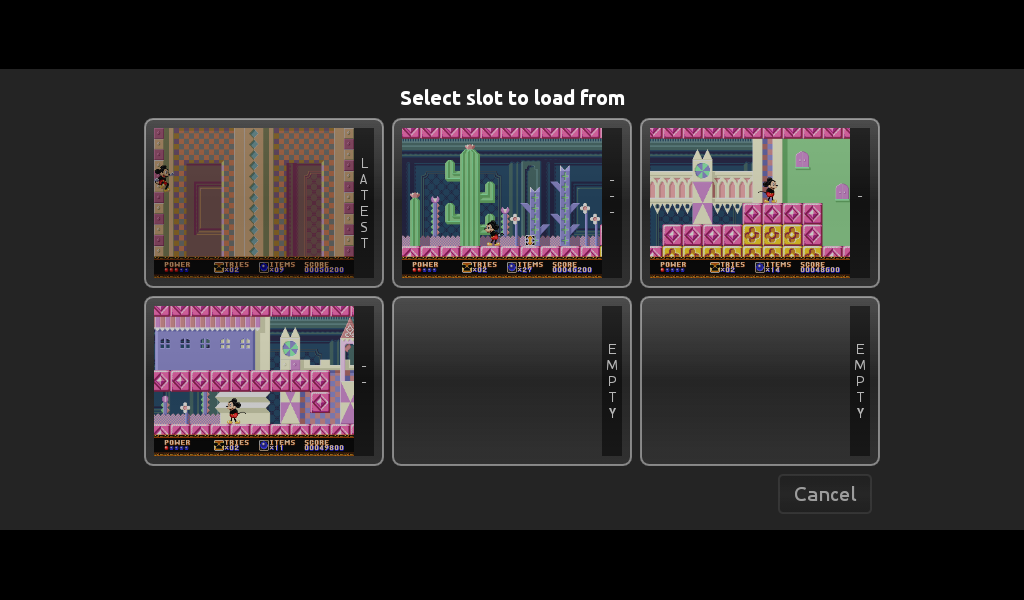
This requires us to take the original emulators source code and making the distinctive modifications required to be compatible. Be that Universal Controller Setups, Android TV compatibility or the most complicated of all, cloud based save states (and memory cards) which use the standard RetroX interface. This last point often requires additional code to be added for image processing to incorporate screenshots into our unique multi-slot save feature, all of which must be coded from scratch.

Adapting systems already within the RetroArch platform is a fairly simple process.  However, many of the emulators integrated within RetroX are standalones, all of which again require coding from scratch (including the most challenging of all – desktop based platforms).

But we love computer games!

RetroX compatible emulator

As our developer resources are scarce (mostly me, Franco), we have to set priorities in the way new features and new emulators are added to RetroX. Sometimes there are small fixes or features that may only take a few hours, but others can require weeks or even months of work. Recent examples being the ability to add games from network based storages (cloud, NAS), or the code for cloud based save states which required changes to be applied and tested to each of the supported emulators.

To help improve the regularity of new features and improvements I made the decision several weeks ago, to adapt my working style to allow me to simultaneously work on both long term and short term features (who says men can’t multi-task). However, what has become apparent is that whatever approach we take, there will always be bottle necks.

So, in an effort to reduce your levels of anxiety, I can declare which emulators we want to include within RetroX in 2017, and in which order.

I hope that this will help to reduce the amount of questions that I receive (and answer) on this subject.

Here is the list:

  • Sega Dreamcast
  • 3DO
  • Commodore C64
  • Sega Saturn
  • ZX Spectrum
  • GameCube
  • Atari ST
  • Amiga CD32

In the meantime, we will continue adding new features to RetroX, with plans already in place to improve functionality in several of the existing emulators we support. Including:

And of course, non-emulator related features like offline support, or better ways to handle multiple versions of the same game etc.

As always, if you have any ideas for new features, then please contact us via our Facebook group or send us a message on Twitter.

We are always listening.